Email Monitor
daily driverWatches your inbox in real time and does something useful the moment an email arrives.
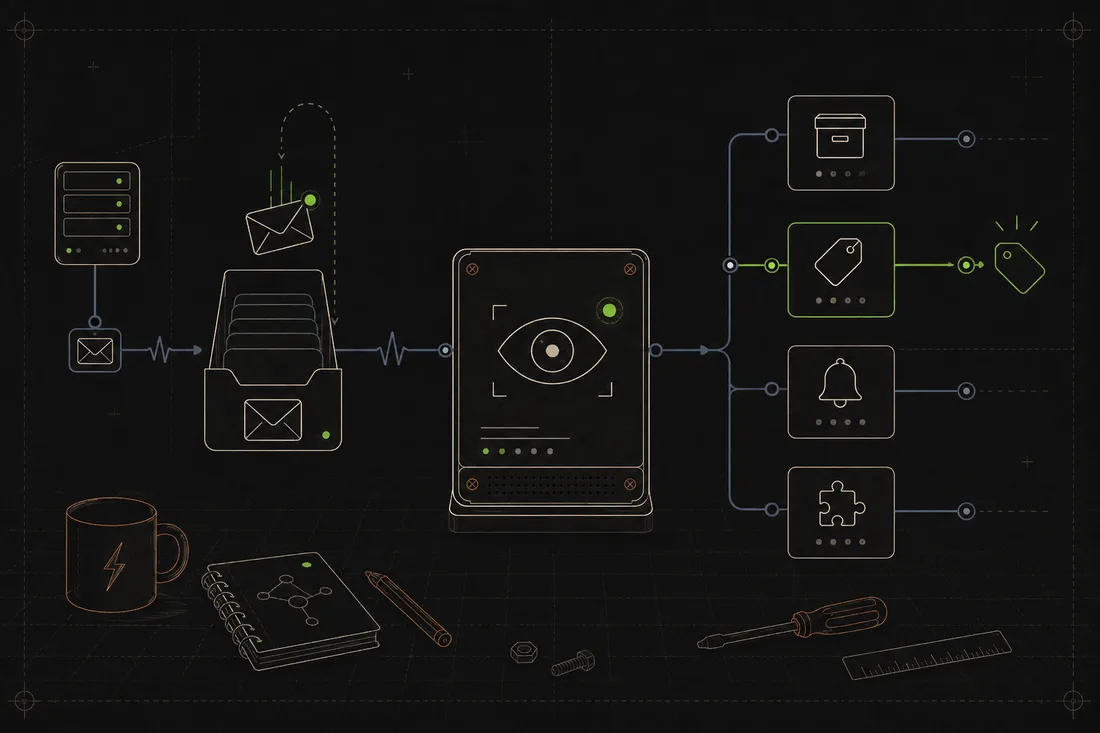
Email Monitor connects to your Gmail account and listens for new messages using a protocol that pushes notifications instantly, no polling every few minutes. When an email arrives, it runs it through a stack of plugins that can archive it, label it, fire off a desktop notification, or hand it off to another system.
- Python
- IMAP
- systemd
- PyYAML
Most email tools check for new messages on a schedule, which means you're always a little behind. Email Monitor uses IMAP IDLE, a feature of email servers that sends a push notification the moment something arrives, so reactions happen in real time. The plugin system means you can drop a Python file in a folder and teach it a new trick without touching the core. It's a standalone inbox watcher you can extend with plugins, so an email can quietly trigger something the moment it arrives.
What it does
Email Monitor runs as a background service on your server and keeps an open connection to your Gmail account. The moment a new email lands, the server pushes a notification and Email Monitor wakes up to process it; no scheduled checks, no lag. It then walks the email through a chain of plugins to decide what to do: auto- archive a notification that's already been handled elsewhere, flag something urgent for a desktop pop-up, or pass a bug report to the next system in line. Plugins are just Python files dropped into a folder. Each one declares which emails it cares about (by sender, subject pattern, or label), a priority, and a function that does something with the matching email. They chain together cleanly, and adding a new behavior doesn't touch anything that already works.
Why it's neat
Push, not poll
Email Monitor uses IMAP IDLE so the server tells it when mail arrives; reactions happen in seconds, not on a five-minute timer.
New tricks without touching the core
Drop a Python file in the plugins folder and the monitor picks it up automatically; no restarts, no config changes.
The foundation for smarter automations
It's a standalone inbox watcher you can extend with plugins, so an email can quietly trigger something the moment it arrives.
How it works
Email Monitor logs into Gmail once and holds an IMAP IDLE connection; the server sends a push the instant new mail arrives.
Each plugin declares a filter (sender, subject, label); the email passes through matching plugins in priority order until one handles it.
Plugins can archive, label, forward, fire a desktop notification, ping another service, or hand off to another system.
It's installed as a systemd service that starts on boot, restarts if it crashes, and logs to the journal like any other system process.