Coderoo
daily driverThe dashboard and task board for a team of coding agents.
Coderoo helps you keep a group of AI coding assistants pointed at the same project. It gives each assistant the right task notes, keeps track of who's working on what, and shows the whole thing in a terminal dashboard.
- Python
- Textual
- MCP
- Git
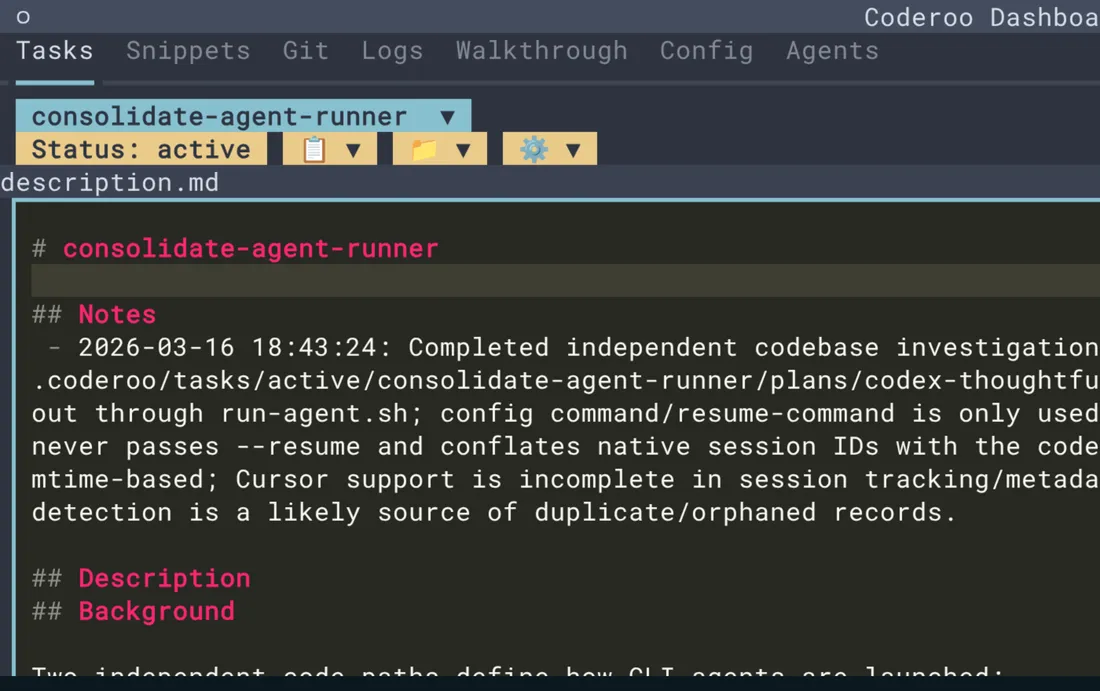
The neat part is that it makes AI help feel less like one long chat window and more like a tiny workshop. One agent can research, another can implement, and you can still see the task, the files, the history, and the handoff notes in one place.
What it does
Coderoo organizes your AI coding sessions. When a new project starts, it can create a task folder, load the right background notes, and give the assistant a clear job. It also has dashboards so you can see active tasks, project files, logs, commands, and which agents are available.
Why it's neat
It keeps the job organized
Tasks, notes, files, and decisions live together instead of getting lost in a chat scroll.
It lets agents split the work
A researcher can investigate while an implementer changes code, with Coderoo keeping the shared context straight.
It makes the invisible visible
The dashboard shows the work in motion, including tasks, git changes, logs, and agent status.
How it works
1. Start a focused session
Coderoo loads the project, the active task, and the right agent role before the assistant begins.
2. Track the work on disk
Notes, task files, command history, and handoff details are stored in the project so they survive restarts.
3. Watch and coordinate
You can use the terminal dashboard or command-line status view to see progress and keep the team lined up.