Brotherly
daily driverI help my brother's computer, and Matt gets to say yes first.
Brotherly is a remote-help tool I built so I can fix things on my brother Matt's Mac Mini without needing Matt's password or full access. I queue up a script with a plain-English description, Matt sees it in a clean terminal app, reviews it, and approves it. The script runs, and I get a notification when it's done.
- Python
- Textual
- SSH
- Click
- Rich
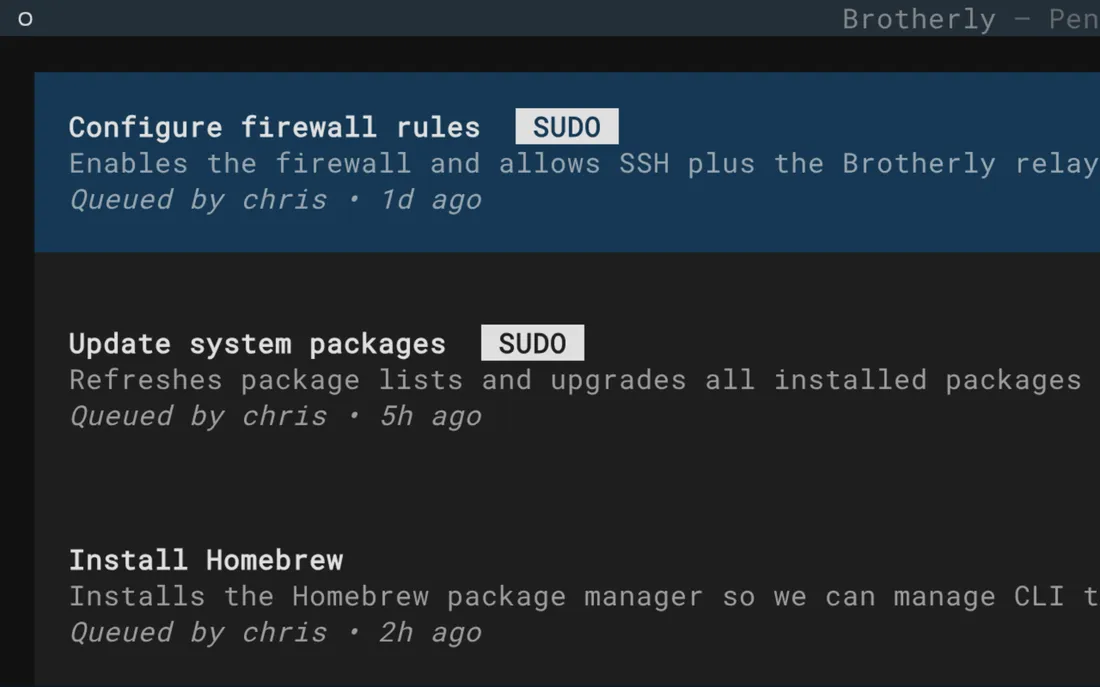
The neat part is the balance of trust. I can be helpful (installing software, fixing problems, running maintenance) without Matt ever having to hand over his machine. Matt sees exactly what's going to happen, can read the actual script if he's curious, and hits approve (or not). It's the kind of thoughtful design that only comes from actually caring about the person on the other end. I built this for my brother, and it shows.
What it does
Brotherly lets me queue up administrative scripts on Matt's Mac Mini from my own computer. Each script comes with a title and a plain-English description of what it does. Matt runs the brotherly command on his end and sees a tidy list of what's waiting. He can expand any item to read the actual script code, then approve it with a keypress. The script runs, its output streams to the screen, and when it finishes I get a text message and a desktop notification with the result.
There's no shared password and no blind trust involved. Matt is always in the loop; he's the one who decides whether anything runs.
Why it's neat
Matt stays in control
Nothing runs on Matt's computer without his explicit approval, even when I'm the one who wrote the script.
No technical knowledge required
Matt sees a plain description of each task, not a wall of code, though the code is right there if he wants to look.
I know right away
A text message and desktop notification let me know the moment a script finishes running, wherever I am.
How it works
1. I write and queue a script
From my own computer, I send a script to Matt's machine with a title and a description of what it will do.
2. Matt opens the approval app
Matt runs brotherly and sees a clean list of everything waiting for his review.
3. Matt reads and decides
Each item shows the plain-English description; Matt can also view the full script before approving.
4. The script runs
After approval, the script runs and its output appears in real time so Matt can watch what's happening.
5. I get the result
When it's done, I receive a text message and a desktop notification with the outcome.