Git Stage Lines
daily driverStage exactly the lines you want in a git commit - no interactive menus, no fuss.
Git Stage Lines is a small command-line tool that lets you tell git exactly which lines of a file to include in a commit. It's the answer to a problem git doesn't solve on its own: "I only want lines 10 through 42 in this next commit."
- Python
- Git
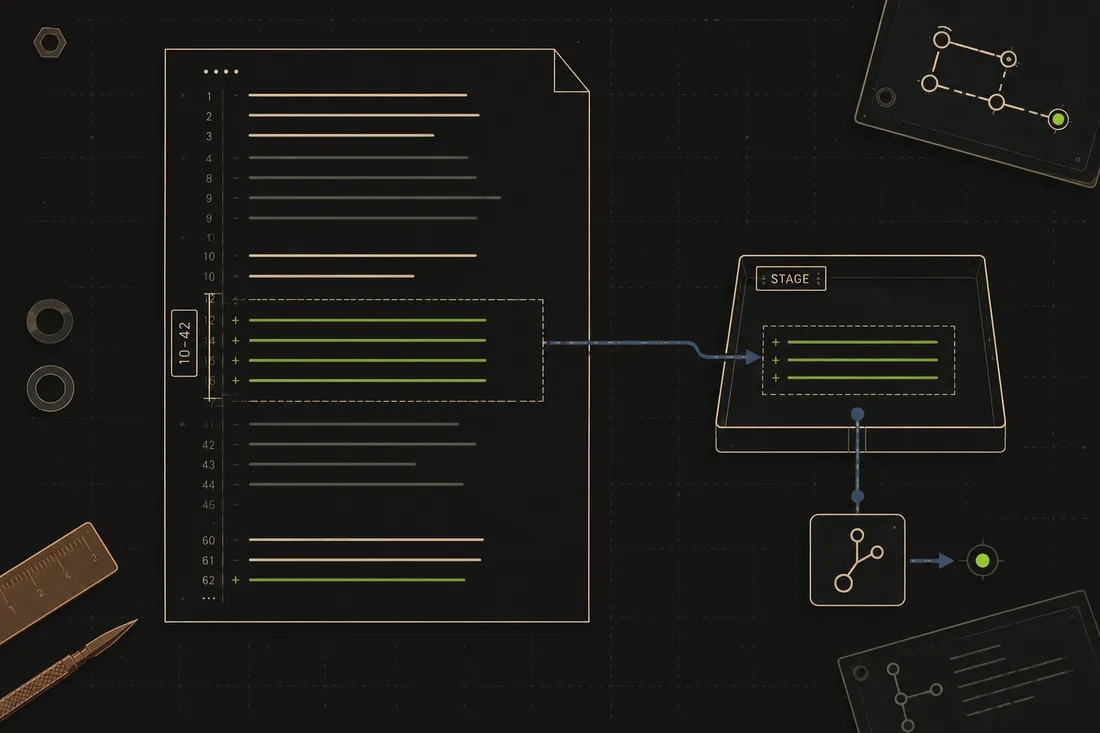
Git has a mode called "interactive patching" that lets you pick which changes to stage, but it opens a menu and waits for you to answer questions; you can't use it in a script. Git Stage Lines skips all that: you just say the file and the line numbers, and it handles the rest. It's the kind of sharp little tool that makes a workflow noticeably cleaner, and my agents use it every day to keep commits tidy and logical.
What it does
When you're working on code, it's common to have changes to the same file that belong in two different commits - a bug fix and a new feature, say. Git's built-in tools can split changes, but only through an interactive menu you can't automate. Git Stage Lines solves that with a simple command: give it a filename and a line range, and it stages exactly those lines, leaving the rest untouched. Under the hood it reads the diff, parses it into structured pieces, and surgically rebuilds just the patch you asked for, even if your range cuts right through the middle of a change. No external libraries needed, just Python and git.
Why it's neat
Surgical precision
You can say "stage lines 10 to 42" and only those lines go into the next commit; the rest stay unstaged.
Works in scripts
Because it's a plain command with no interactive menus, AI agents can call it to stage exactly the right lines without any human input.
No extra dependencies
It's pure Python using only the standard library - nothing to install beyond Python itself and git.
How it works
1. Read the diff
The tool runs git diff on the file to see all the current unstaged changes.
2. Parse into pieces
It breaks the diff into structured chunks (called "hunks") so it can reason about exactly which lines changed where.
3. Filter to your range
It keeps only the hunks that overlap with the line range you asked for, splitting a hunk if your range cuts through the middle.
4. Apply the patch
It assembles a valid patch from just those lines and tells git to stage it, leaving everything else untouched.